
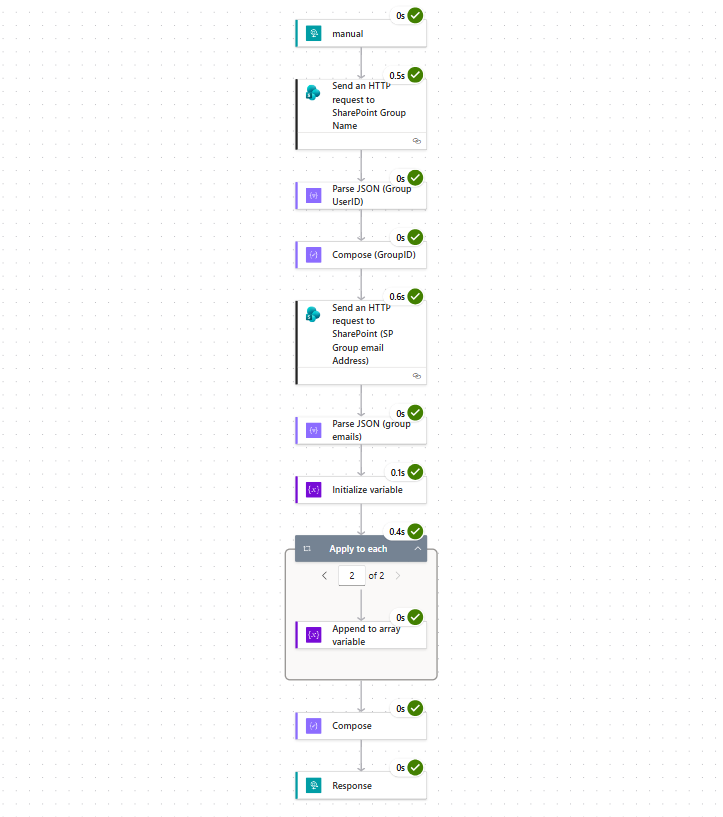
This walkthrough shows how to build a reusable Power Automate Cloud Flow that retrieves all user emails from a SharePoint group. You can then use those emails to assign tasks, send notifications, or trigger approvals in other flows
Why a Reusable Flow?
- Centralized logic: Instead of duplicating steps in multiple flows, you create one reusable flow.
- Parent–child pattern: The parent flow calls this reusable flow via an HTTP request.
- Flexibility: Pass in the group name dynamically, so the same flow works for any SharePoint group.
I have created a Folder Named “Reuseable Flows” in my Tendant under solutions, the reason is that I want to reuse the Flow in different flows by adding a HTTP request by a parent Flow.
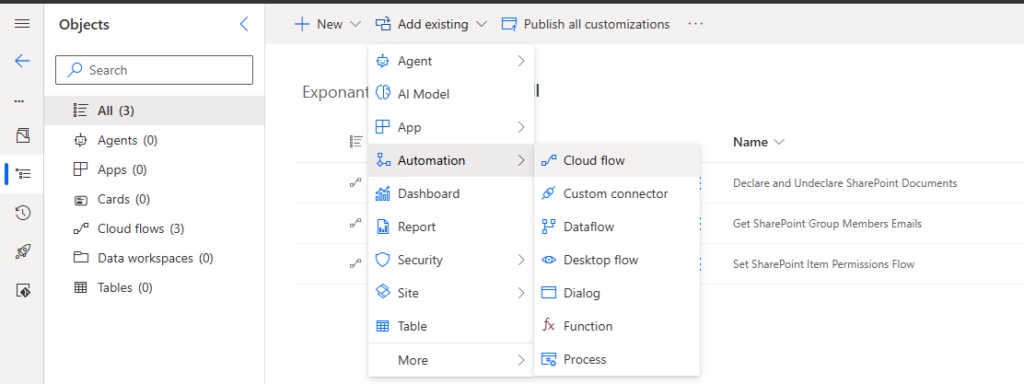
1. Create the Flow
- Go to Automation > Cloud flow.
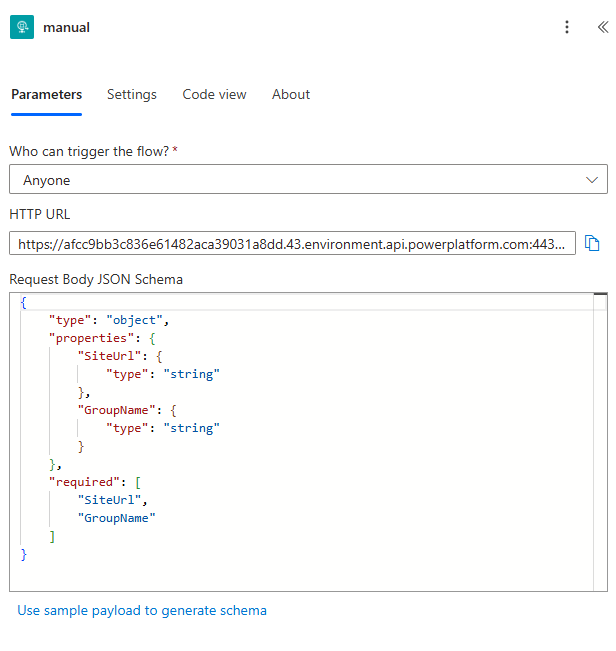
- Choose Manual trigger.
- Configure:
Request Body JSON Schema → Define input parameters.
Who can trigger? → Anyone
HTTP URL → Generated after publishing (used by parent flow).
Result
“body”: {
“SiteUrl”: “http://dev06291:8167/sites/demo”,
“GroupName”: “SharePoint Group Name”
}
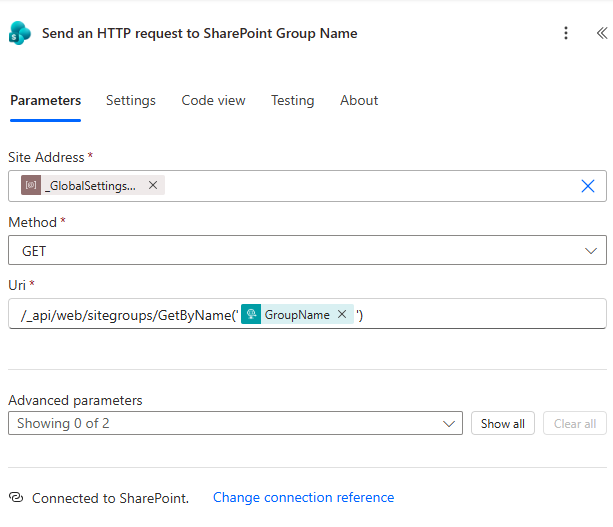
Add new action Send an HTTP request to SharePoint Group Name, configure the action
- Site Address*
- Method* GET
- Uri* /_api/web/sitegroups/GetByName(‘@{triggerBody()?[‘GroupName’]}’)
Result
“body”: {
“d”: {
“__metadata”: {
“id”: “/_api/Web/SiteGroups/GetById(37)”,
“uri”: “/_api/Web/SiteGroups/GetById(37)”,
“type”: “SP.Group”
},
“Owner”: {
“__deferred”: {
“uri”: “/_api/Web/SiteGroups/GetById(37)/Owner”
}
},
“Users”: {
“__deferred”: {
“uri”: “/_api/Web/SiteGroups/GetById(37)/Users”
}
},
“Id”: 37,
“IsHiddenInUI”: false,
“LoginName”: “SharePoint Group”,
“Title”: “SharePoint Group”,
“PrincipalType”: 8,
“AllowMembersEditMembership”: false,
“AllowRequestToJoinLeave”: false,
“AutoAcceptRequestToJoinLeave”: false,
“Description”: “”,
“OnlyAllowMembersViewMembership”: false,
“OwnerTitle”: “SharePoint Group”,
“RequestToJoinLeaveEmailSetting”: null
}
Add Parse JSON (Group UserID) action
- Content – @{body(‘Send_an_HTTP_request_to_SharePoint_Group_Name’)}
- Schema*
Result Output
{
“type”: “object”,
“properties”: {
“Id”: {
“type”: “string”
}
}
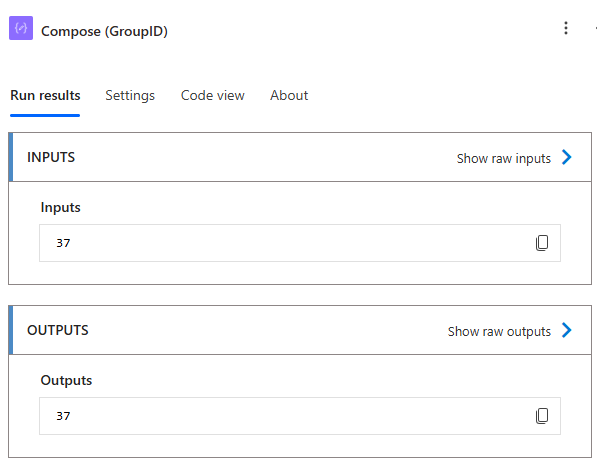
Add Compose (GroupID)
Inputs* @{body(‘Parse_JSON_(Group_UserID)’)?[‘d’]?[‘Id’]}
Result Output
37
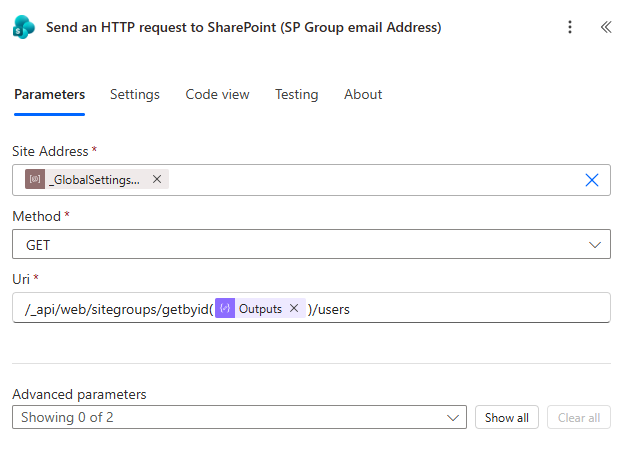
Add Send an HTTP request to SharePoint (SP Group email Address)
API payload will now return all the user json body in a array
- Site Address*
- Method* GET
- Uri* /api/web/sitegroups/getbyid(@{outputs(‘Compose(GroupID)’)})/users
Add Parse JSON (group emails)
Now we can parse sjon output to get the group off emails in a array
- Content* @{body(‘Send_an_HTTP_request_to_SharePoint_(SP_Group_email_Address)’)}
- Schema*
{
“type”: “object”,
“properties”: {
“d”: {
“type”: “object”,
“properties”: {
“results”: {
“type”: “array”,
“items”: {
“type”: “object”,
“properties”: {
“Id”: {
“type”: “integer”
},
“LoginName”: {
“type”: “string”
},
“Title”: {
“type”: “string”
},
“Email”: {
“type”: “string”
},
“IsSiteAdmin”: {
“type”: “boolean”
}
},
“required”: [
“Email”
]
}
}
},
“required”: [
“results”
]
}
},
“required”: [
“d”
]
}
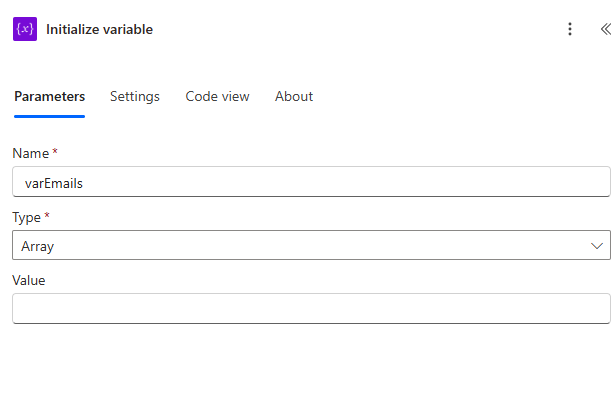
Add Initialize variable
This action Initialize variable we need to set the Type to an Array to be used for apply to each
- Name* varEmails
- Array
- Value* Leave Blank
Next add Apply to each Action
- Select an output from previous steps* @{body(‘Parse_JSON_(group_emails)’)?[‘d’]?[‘results’]}
Inside the Apply to each action add a action Append to array variable
- Name* Select varEmails
- Value* @{item()?[‘Email’]}

Add another Action Compose
We will now capture the result from Apply for each action. we are using join expression so we can save each result as a string. Charmaine.Malan@mail.com;Christepher.Roux@mail.com
- Inputs* @{join(variables(‘varEmails’), ‘;’)}
The last step add Response
We can now send back the response to our parent flow.
- Status Code* 200
- Body* @{outputs(‘Compose’)}
After the action has excuted and the Get SharePoint Group Members Emails is completed you can now send an email to the diffrent emails or use as Create an approval
